YouTube API Key and Quota: How to Stop Hitting the 10,000-Unit Limit
By Technophile ·
Quick answer: a YouTube Data API v3 key is free from the Google Cloud Console and comes with 10,000 quota units per day. Reading videos, channels, playlists or comments costs 1 unit per request. Search costs 100 units, so just 100 searches use up the entire day. Quota resets at midnight Pacific Time.
If you're seeing quotaExceeded, the fix is almost always to search less.
How do I get a YouTube API key?
- Go to the Google Cloud Console (opens in a new tab) and create a project (or pick an existing one).
- Open APIs & Services → Library, search for YouTube Data API v3 and click Enable.
- Open APIs & Services → Credentials, click Create credentials → API key, and copy it. Keys start with
AIza. - Click the key and restrict it: allow only the YouTube Data API v3 and, for websites, only your own domain. An unrestricted key that leaks can be used by anyone, against your quota.
An API key can only read public data. To upload videos or read private analytics, you need OAuth instead.
How much quota does each request cost?
| Request | Cost |
|---|---|
Video details (videos.list) | 1 unit |
Channel details (channels.list) | 1 unit |
Playlist videos (playlistItems.list) | 1 unit |
Comments (commentThreads.list) | 1 unit |
Search (search.list) | 100 units |
The cost is per request, not per result. One videos.list call can fetch up to 50 videos by ID for 1 unit, so batch your IDs.
How to avoid quotaExceeded errors
- Don't search for things you can look up. To list a channel's videos, don't search by channel. Read its uploads playlist with
playlistItems.list: 1 unit instead of 100. - Batch IDs. Pass up to 50 comma-separated IDs to
videos.listinstead of one request per video. - Ask only for the parts you need. Every part costs the same, but smaller responses are faster.
- Cache results. View counts don't need to be live to the second. Caching for even an hour cuts most of your requests.
- Watch for loops. A bug that retries a failed request in a loop can burn through the whole day's quota in minutes.
If you've genuinely outgrown 10,000 units, Google has a quota extension form. It involves an audit of how your app uses the API, so do the steps above first.
Try requests before writing code
The YouTube API Sandbox lets you pick an endpoint, fill in the parameters, and see the request URL and its quota cost before you send anything. Add your key to see YouTube's real JSON response, or copy ready-made cURL, JavaScript or Python code without one.
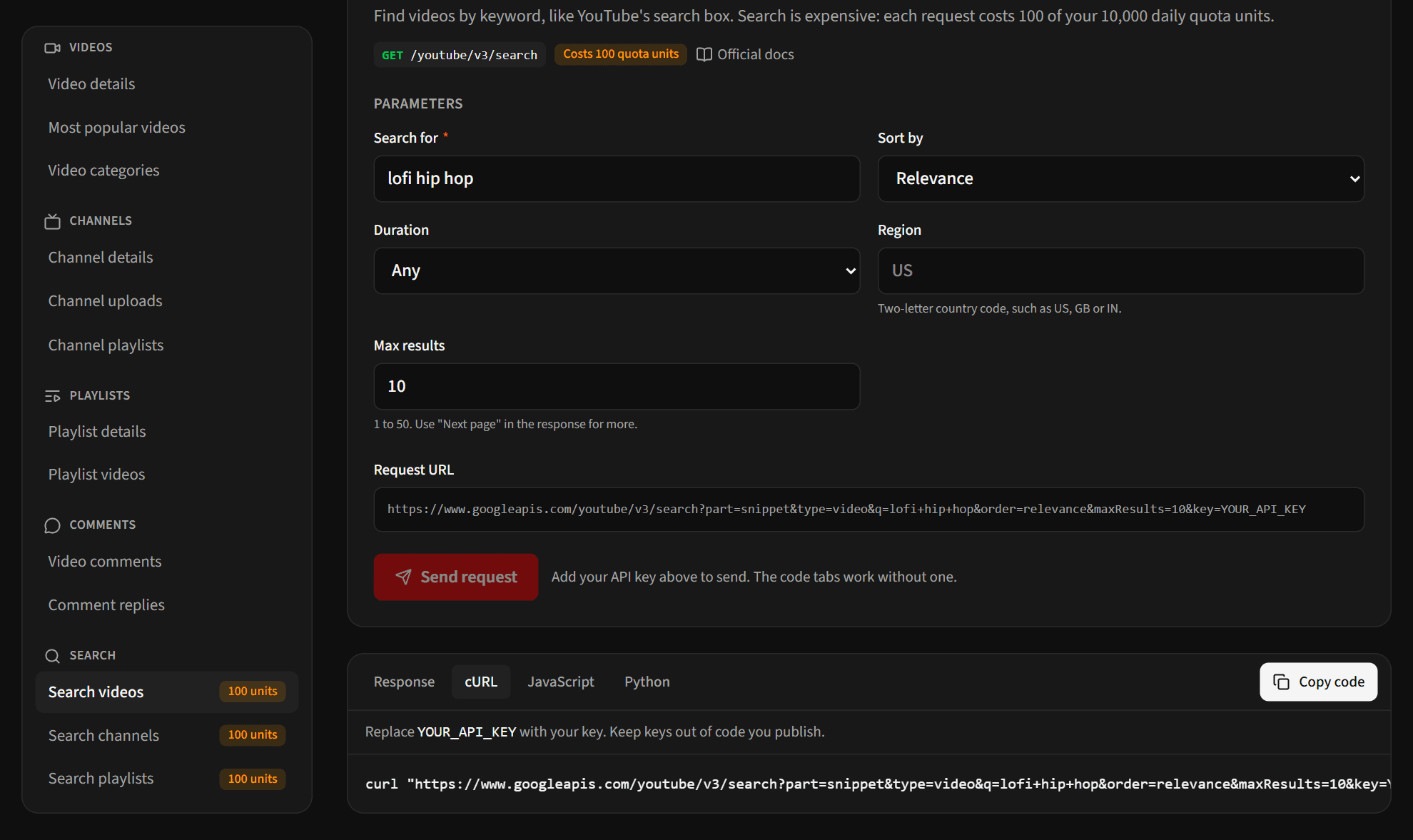
Your key goes straight from your browser to Google. It never passes through our servers, and it's only remembered on your device if you tick Remember on this device.
Frequently asked questions
Is the YouTube Data API free?
Yes. There's no charge for the default 10,000 units a day. You can't buy more quota. Extra quota is granted, free, through Google's extension process.
When does the YouTube API quota reset?
Daily, at midnight Pacific Time (PT), no matter where you are.
Why does my key work in the browser but not on my server (or the other way round)?
Check the key's restrictions. A key limited to your website's domain will refuse requests from a server, and a key limited to IP addresses will refuse requests from browsers.