YouTube Chapters Not Showing? The 4 Rules Your Timestamps Must Follow
By Technophile ·
Quick answer: YouTube turns the timestamps in your description into chapters only when all four of these are true:
- The first timestamp is 0:00.
- There are at least 3 timestamps.
- They're listed in time order.
- Every chapter is at least 10 seconds long.
Break any one rule and YouTube silently ignores all of them. No error, no warning, just no chapters.
What do YouTube chapters look like in a description?
Put each chapter on its own line, starting with the timestamp, followed by its name:
0:00 Intro
0:42 The five mics
2:15 Sound test
5:30 Background noise
7:48 The winner
For videos over an hour, use 1:02:15. A dash or colon between the time and the title is fine. YouTube reads the timestamp at the start of the line.
Why are my YouTube chapters not showing?
Almost always it's one of the four rules. These are the most common slips:
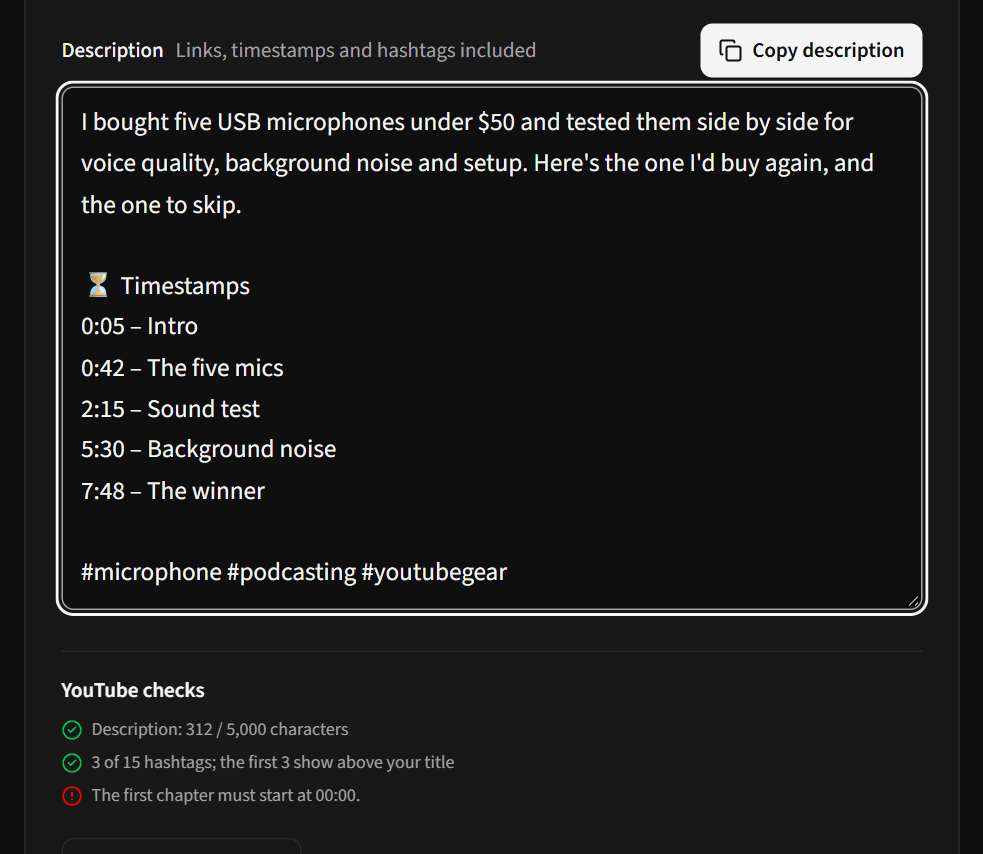
- Starting at 0:05 or 0:01. Your intro may begin a few seconds in, but the first chapter still has to say 0:00.
- Only two chapters. A short video with "Intro" and "Main part" won't get chapters. Add a third.
- A chapter shorter than 10 seconds. Usually a quick "Subscribe!" or "Sponsor" segment. Merge it into the next chapter.
- Out of order. Easy to do after you rearrange sections while editing. Each time must be later than the one above it.
- Timestamps not at the start of the line. "Intro – 0:00" doesn't work. Put the time first.
The Description Builder checks all four rules as you type and tells you which line is the problem:
How do I add chapters quickly?
Writing timestamps by hand means scrubbing through your own video. If you have a transcript (YouTube Studio creates one under Subtitles), you can skip that:
- Paste the transcript, with its timestamps, into the Description Builder.
- Click Generate with AI. It writes a title, a description, chapters taken from the transcript's real timestamps, and hashtags.
- Check the YouTube checks list, edit anything you like, and copy it into YouTube Studio.
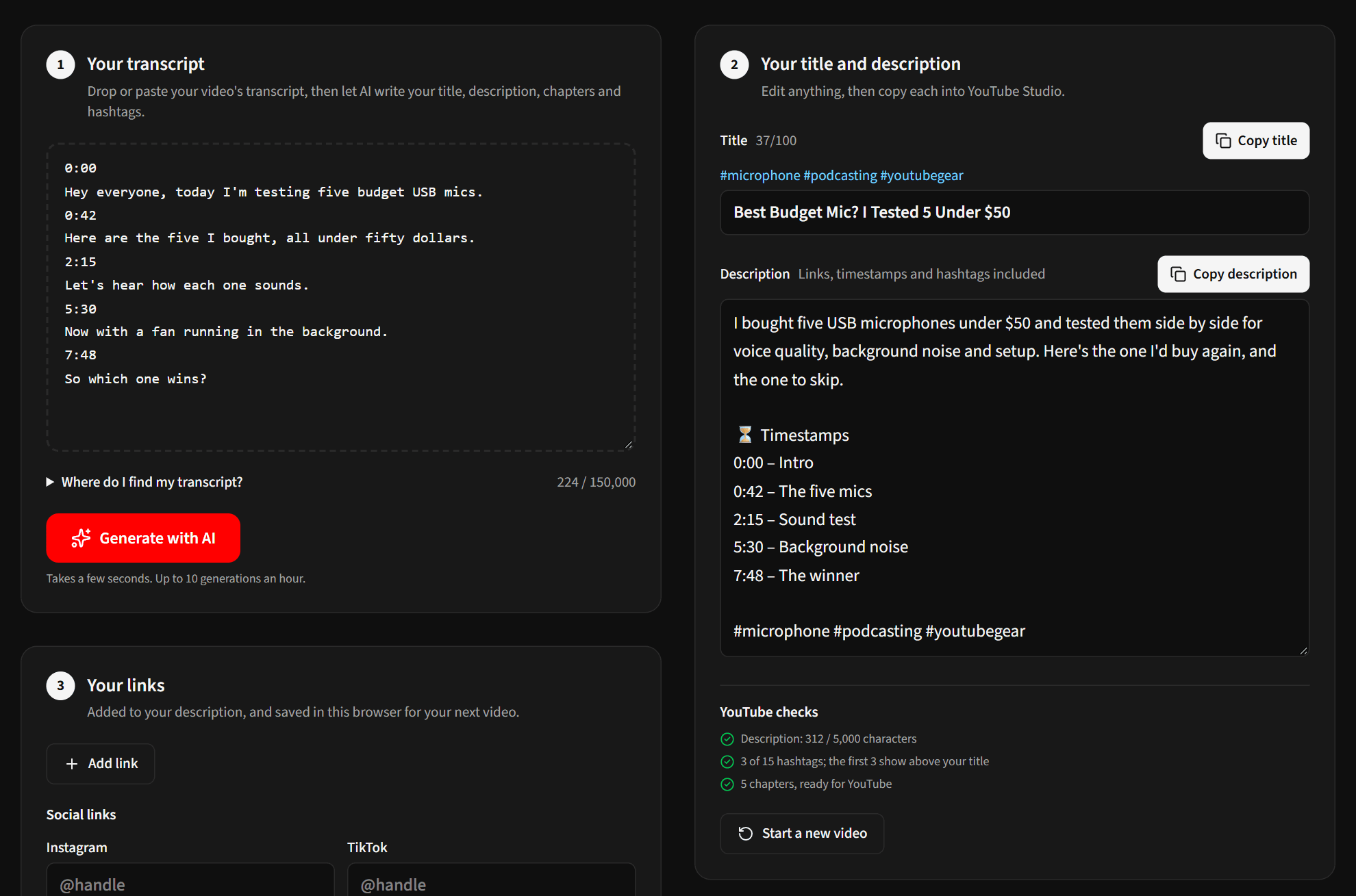
You can also add your usual links and socials once. They're saved in your browser and added to every description you build.
What about YouTube's automatic chapters?
YouTube can generate chapters for you when your description has none. You'll find the Allow automatic chapters setting under Show more when you edit a video in YouTube Studio. Automatic chapters are hit and miss, though. Chapters you write yourself always take priority, and they let you choose words people actually search for.
Other description limits to know
While you're in the description, these limits catch people out too:
| Limit | Value |
|---|---|
| Title length | 100 characters |
| Description length | 5,000 characters |
| Hashtags | Up to 15. With more, YouTube ignores all of them |
| Hashtags above the title | The first 3 from your description, if the title has none |
| Characters not allowed | < and > |
Frequently asked questions
Do chapters help SEO?
They help viewers jump to what they want, and Google sometimes shows chapters as "key moments" in search results. Chapter names that match what people search for give you more chances to appear.
How long does it take for chapters to appear?
Usually as soon as you save the description. If they don't appear, the timestamps are breaking one of the four rules.
Can I add chapters to Shorts?
No. Chapters are for regular videos.