YouTube Image Sizes in 2026: Thumbnails, Banners, Shorts and More
By Technophile ·
Quick answer: a YouTube thumbnail should be 1280×720 pixels (16:9), at least 640 pixels wide, and under 2 MB. A channel banner should be 2560×1440, with text and logos kept inside the center 1546×423 area. Shorts are 1080×1920 (9:16), and regular videos are 1920×1080 (16:9) or larger.
The rest of this guide covers each format, which parts of your image YouTube covers, and how to check your designs before you publish.
YouTube image size cheat sheet
| Format | Recommended size | Aspect ratio | Minimum | Max file size |
|---|---|---|---|---|
| Video thumbnail | 1280×720 | 16:9 | 640×360 | 2 MB |
| Channel banner | 2560×1440 | 16:9 | 2048×1152 | 6 MB |
| Shorts video | 1080×1920 | 9:16 | – | – |
| Video (1080p) | 1920×1080 | 16:9 | – | – |
YouTube changes its limits from time to time. These numbers match YouTube's guidance at the date at the top of this post.
What size is a YouTube thumbnail?
Use 1280×720 pixels. That's the size YouTube recommends and the largest version it stores for most videos. Smaller files are accepted as long as they're at least 640 pixels wide, but they look soft on TVs and big monitors.
- Aspect ratio: 16:9. Other ratios get letterboxed with black bars.
- File types: JPG, PNG or GIF.
- File size: under 2 MB. Export as JPG at around 85–90% quality if a PNG is too big.
- Account: custom thumbnails need a verified YouTube account.
Where YouTube covers your thumbnail
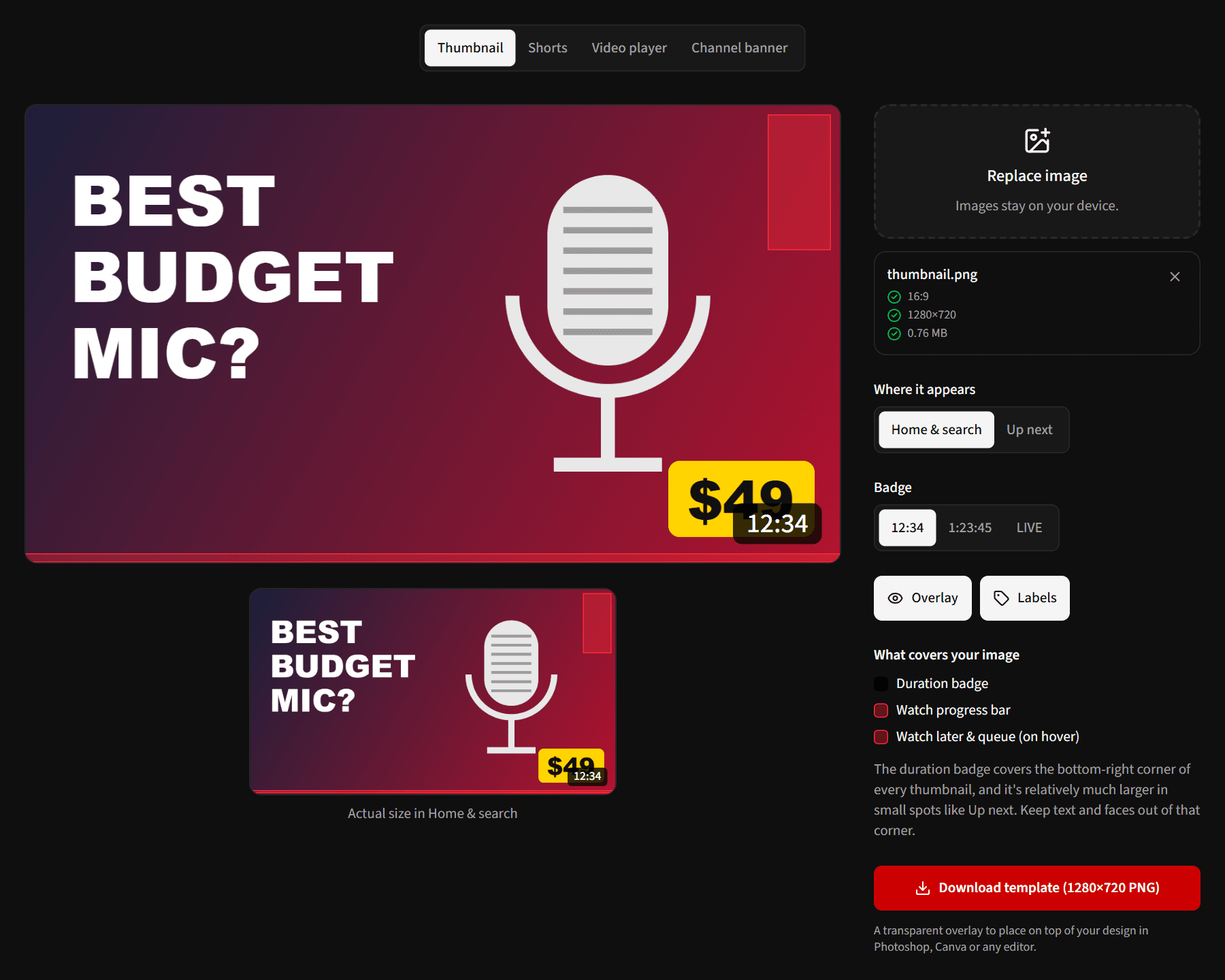
The duration badge sits in the bottom-right corner of every thumbnail, and a red watch progress bar runs along the bottom for videos people have started. In small spots such as the Up next list, the badge covers a much larger share of the image.
Keep faces, text and your logo out of the bottom-right corner. You can see exactly where the badge lands with the Safe Zones Overlay:
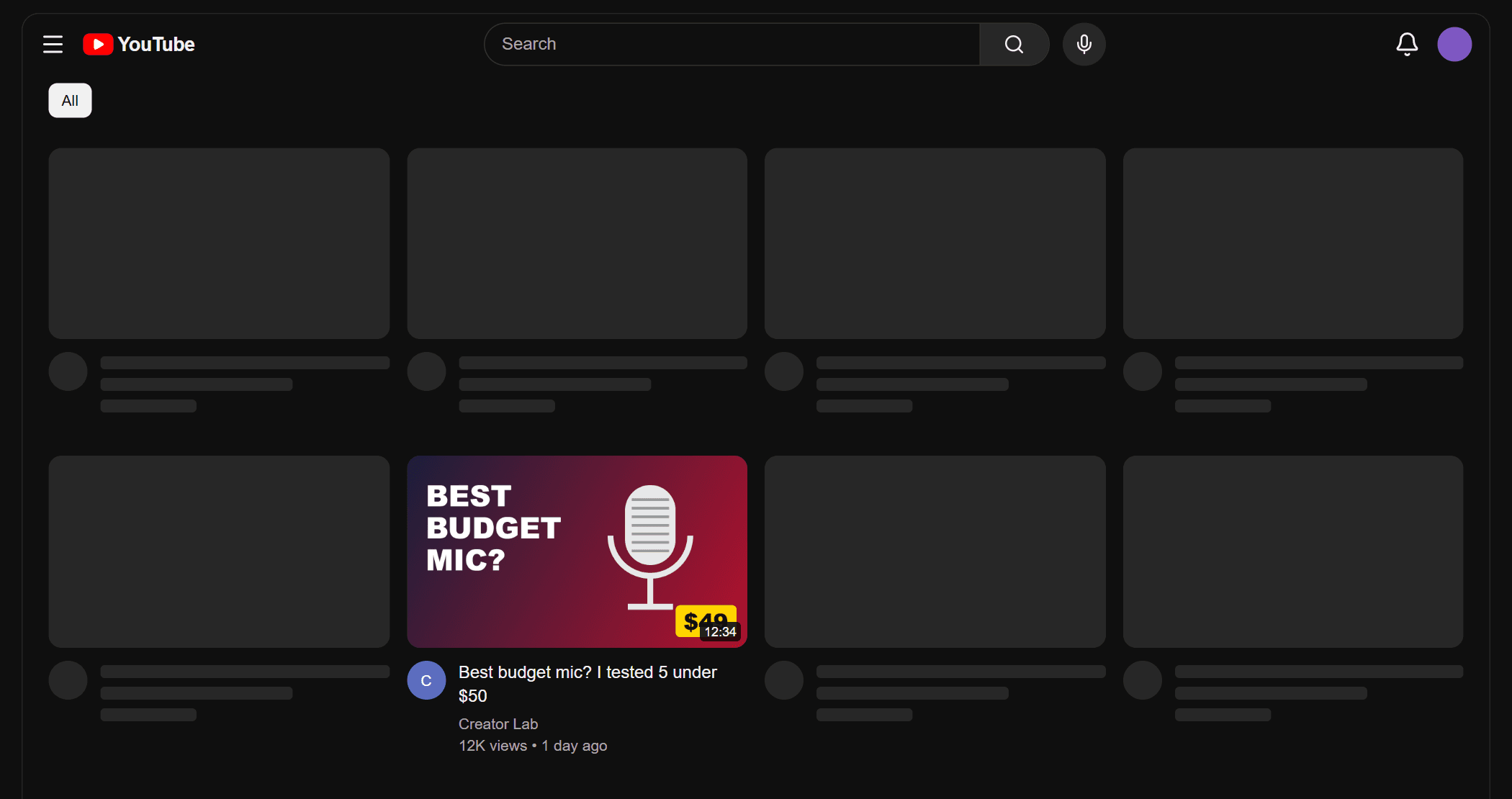
Then test the whole thumbnail with your title in a realistic feed using the Thumbnail Previewer:
Which thumbnail sizes does YouTube create?
When you upload a thumbnail, YouTube generates several copies for different screens:
| Name | Size |
|---|---|
| Full HD | 1280×720 |
| Standard | 640×480 |
| High | 480×360 |
| Medium | 320×180 |
| Small | 120×90 |
The 1280×720 version only exists for videos uploaded in HD. To save any of these sizes, use the Thumbnail Downloader.
What size is a YouTube banner?
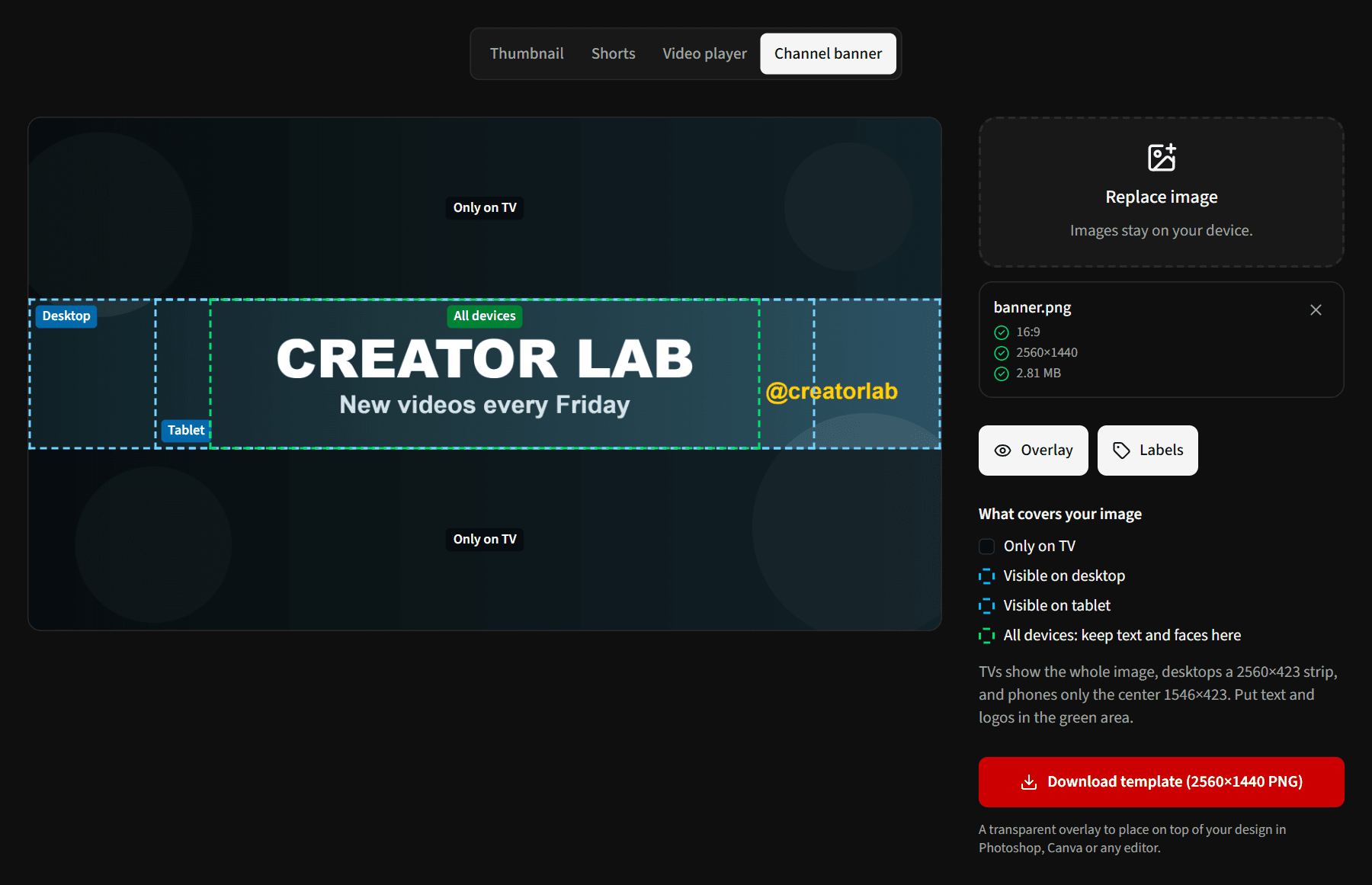
Upload your channel banner at 2560×1440 pixels, at least 2048×1152, and under 6 MB. YouTube crops it differently on each device:
- TV: shows the whole 2560×1440 image.
- Desktop: shows a 2560×423 strip across the middle.
- Mobile: shows only the center 1546×423.
Anything outside that center 1546×423 area can be cut off on phones, so put your channel name, text and logo there. Use the rest for background.
What size are YouTube Shorts?
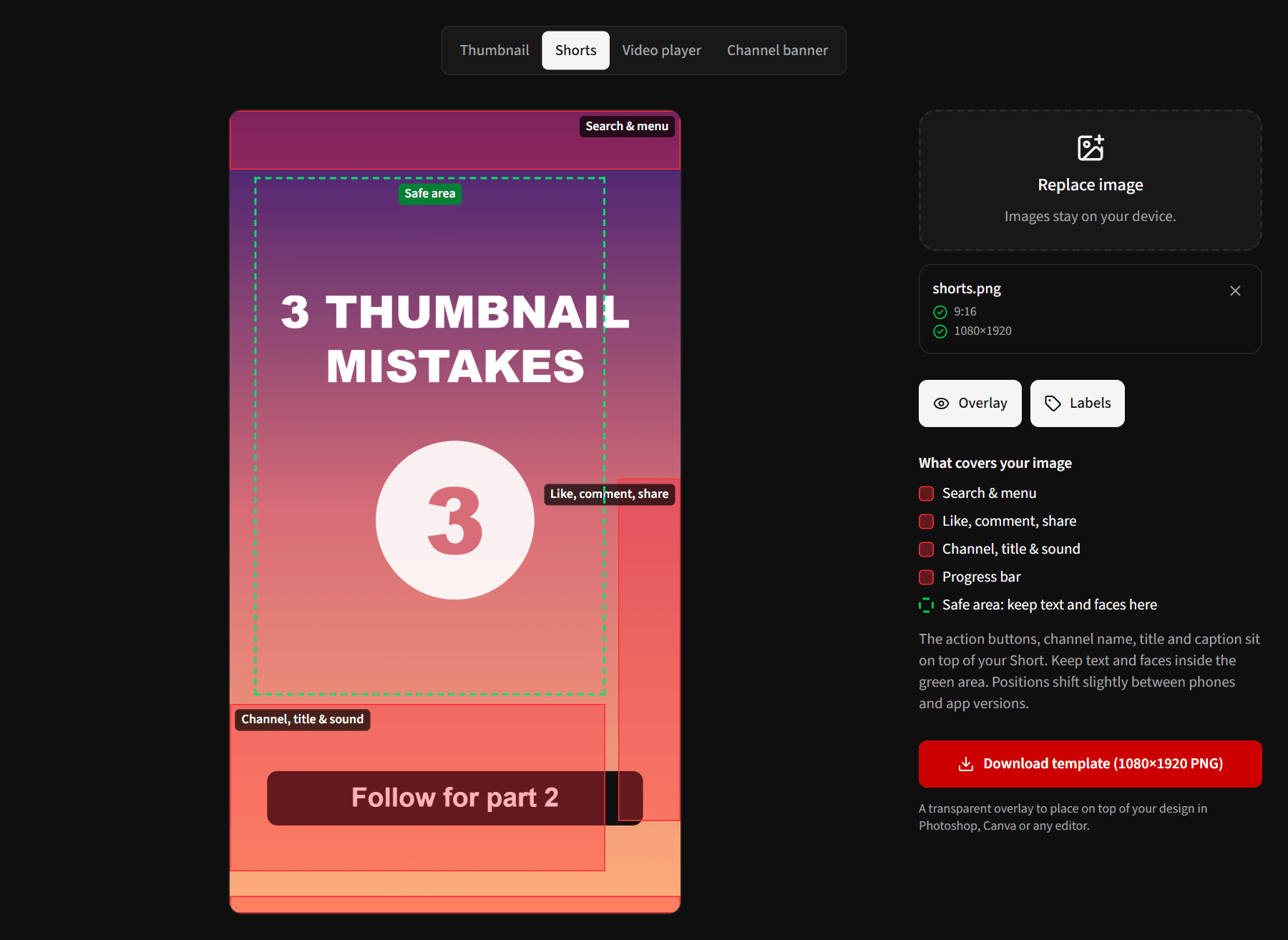
Shorts are vertical videos at 1080×1920 pixels (9:16). The like, comment and share buttons sit on the right, and the channel name, title and caption cover the bottom. Keep important text and faces in the center and upper middle of the frame. Button positions vary slightly between phones and app versions, so leave some margin.
What size should a regular YouTube video be?
Upload in 16:9, at 1920×1080 (1080p) or higher. When viewers hover or pause, the player controls and title bar appear on top of the video, and captions sit just above the controls. Keep on-screen text away from the very top and bottom edges.
How to check your images before you publish
- Export at the recommended size from the table above.
- Open the Safe Zones Overlay, choose the format, and drop in your image to see what YouTube's interface covers. Your image never leaves your browser. You can also download a transparent template to place on top of your design in Photoshop, Canva or any editor.
- For thumbnails, open the Thumbnail Previewer to see it in a realistic home feed, search results, mobile and TV, and compare two versions side by side.
Frequently asked questions
Is 1920×1080 OK for a YouTube thumbnail?
Yes. It's 16:9, so YouTube scales it down to 1280×720 without cropping. Just check the file is still under 2 MB.
Why is my YouTube thumbnail blurry?
Usually because it was uploaded smaller than 1280×720, or compressed heavily to get under 2 MB. Export at exactly 1280×720 and lower the JPG quality a little rather than shrinking the dimensions.
Can I use a vertical thumbnail?
Not for regular videos: thumbnails are always shown at 16:9, so a vertical image gets black bars. Shorts use a frame from the video by default.
What's the safe area of a YouTube banner?
The center 1546×423 pixels of a 2560×1440 image. That's the only part every device shows.